Watching my mom get overwhelmed by garden chores.
Grove
01 research Garden care overwhelmed my mom
That system is Grove, a smart-garden concept I designed as a class project in 2024. In 2026 I redesigned it from the screens up.
02 pivot The mess, then the fix.
The 2024 version had rough versions of most screens. The redesign cleaned them up and finished them.
Before and after
Flip the toggle to see each screen as 2024 or 2026.
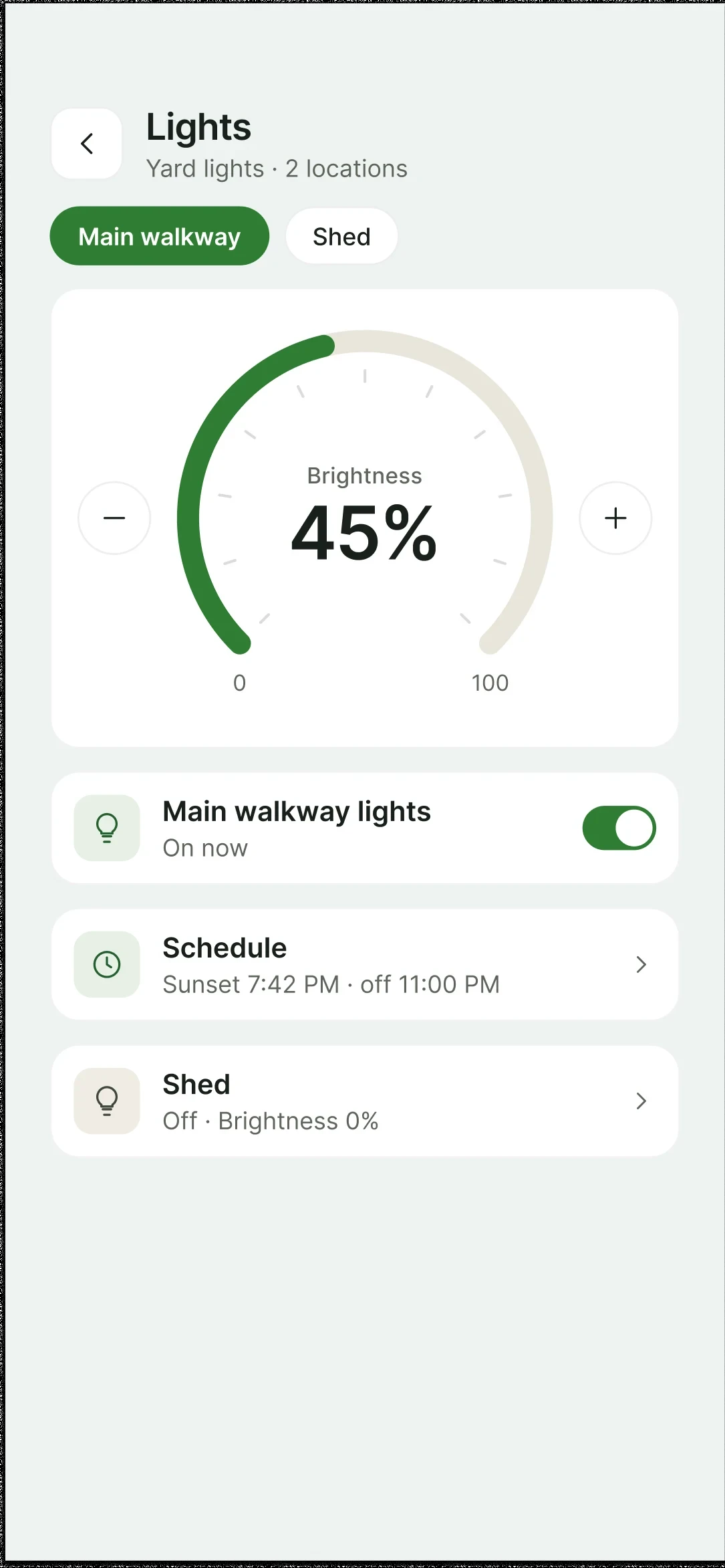
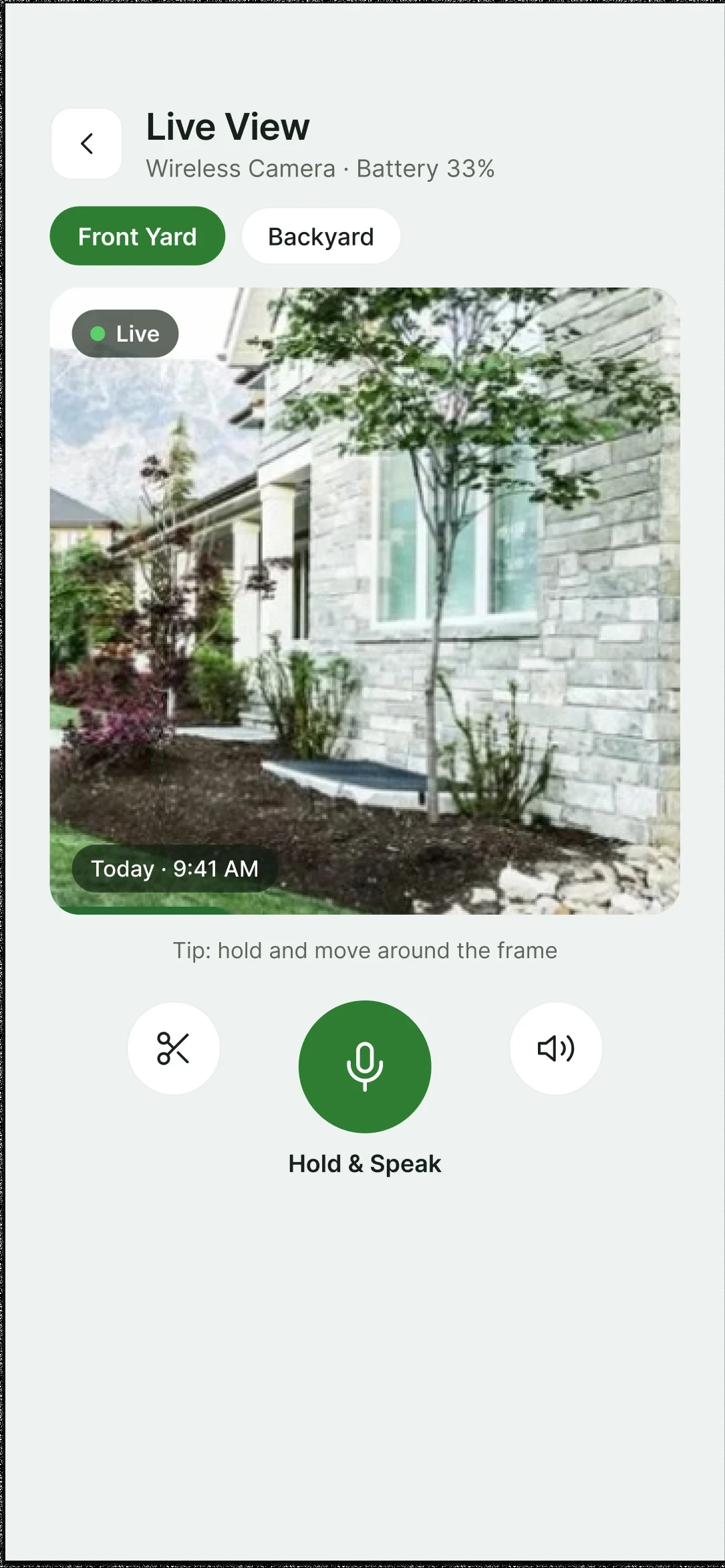
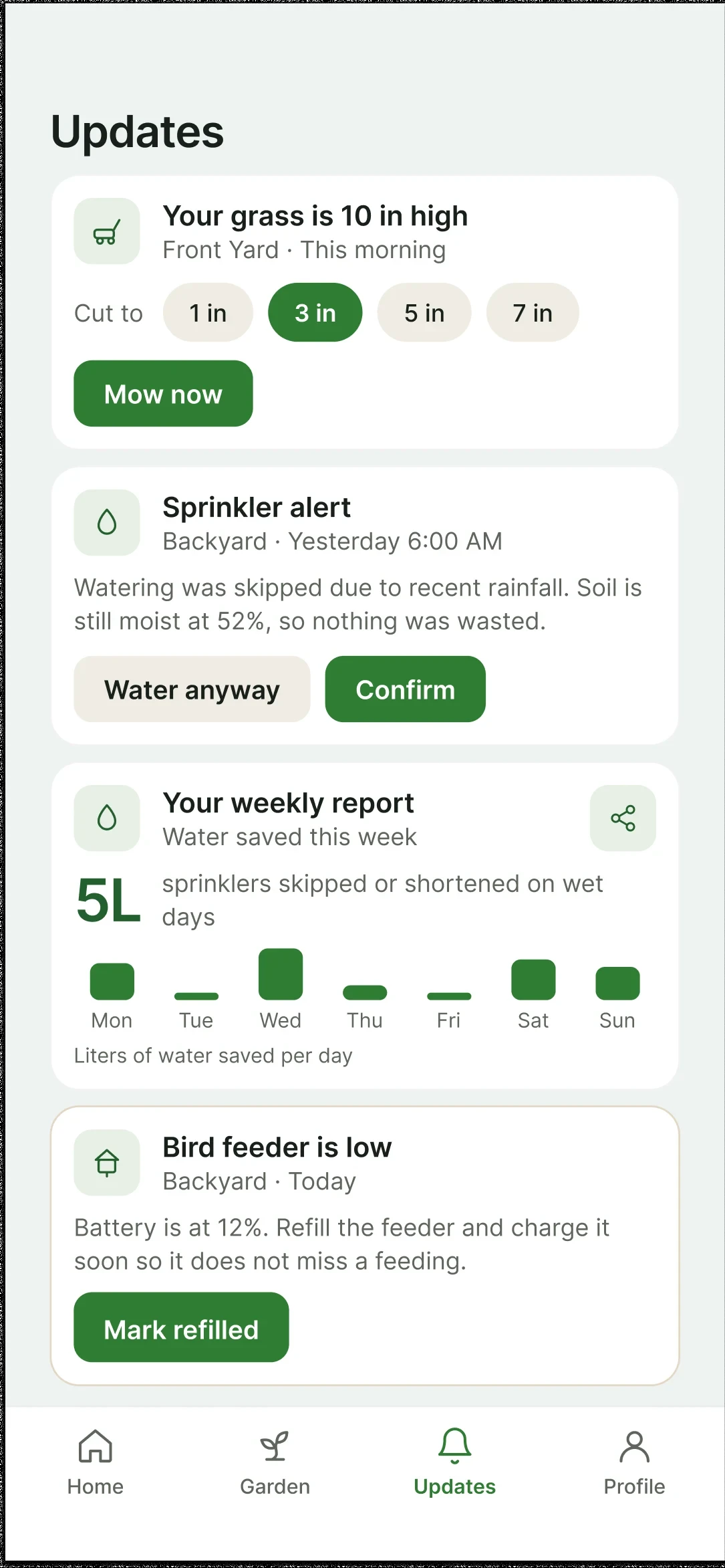
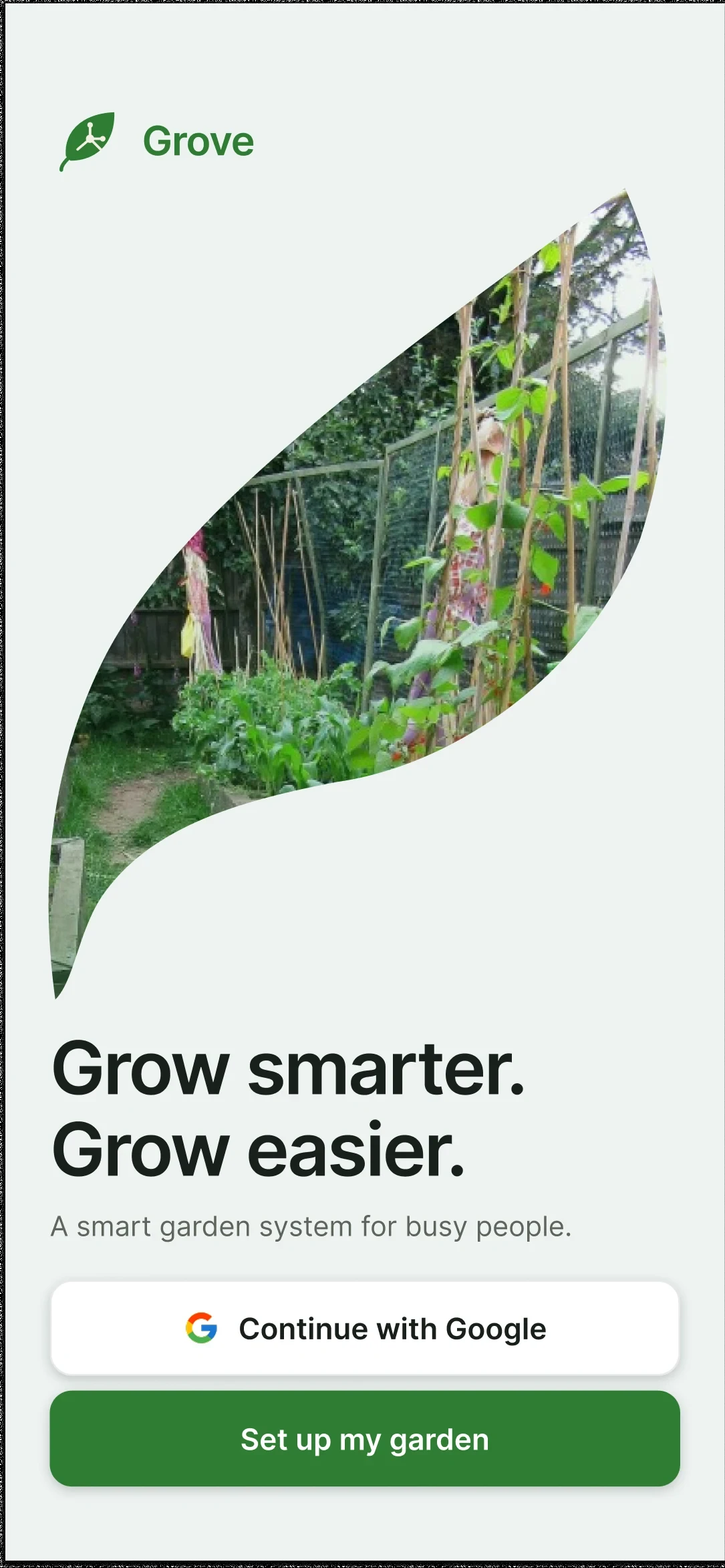
Login · 20261 / 6
Drag, scroll, or use arrow keys. Select the centered phone to enlarge it.
Kept
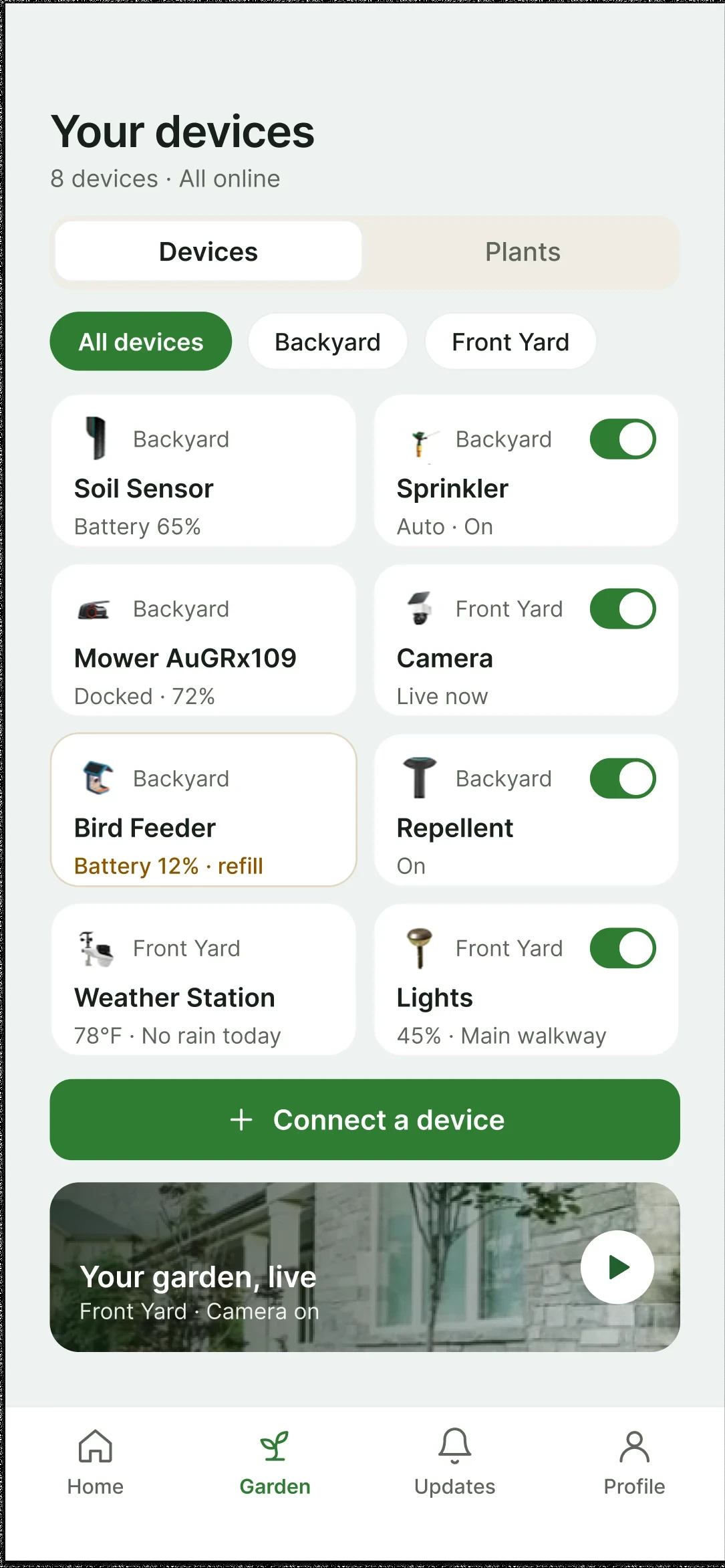
The core screens.
The 2024 screens had the right jobs. The execution was rough.
Changed
Overhauled the design system and flow.
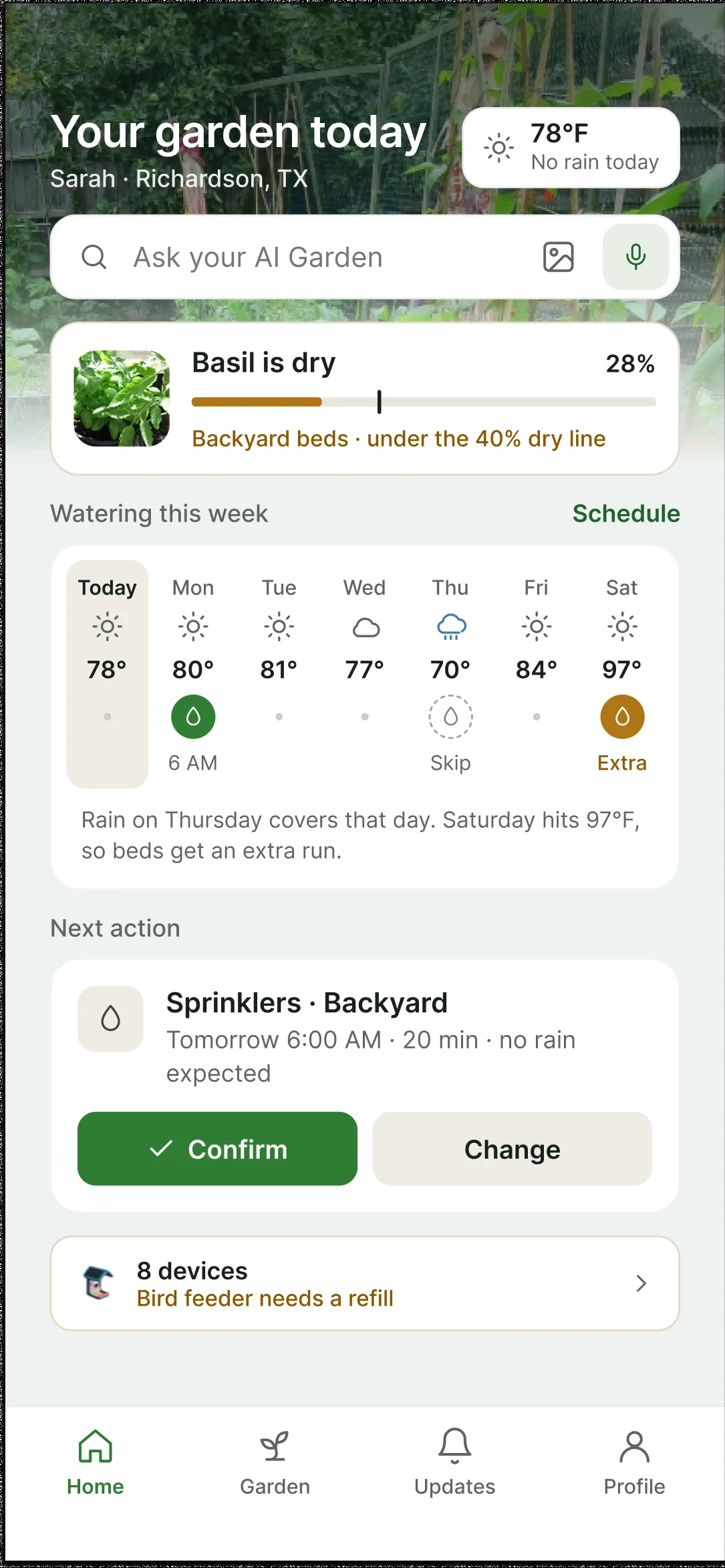
The original home screen forced users to dig through generic tiles just to check on their garden. Aside from being more aesthetic, the redesign reframes it as a proactive daily briefing on launch.
Added
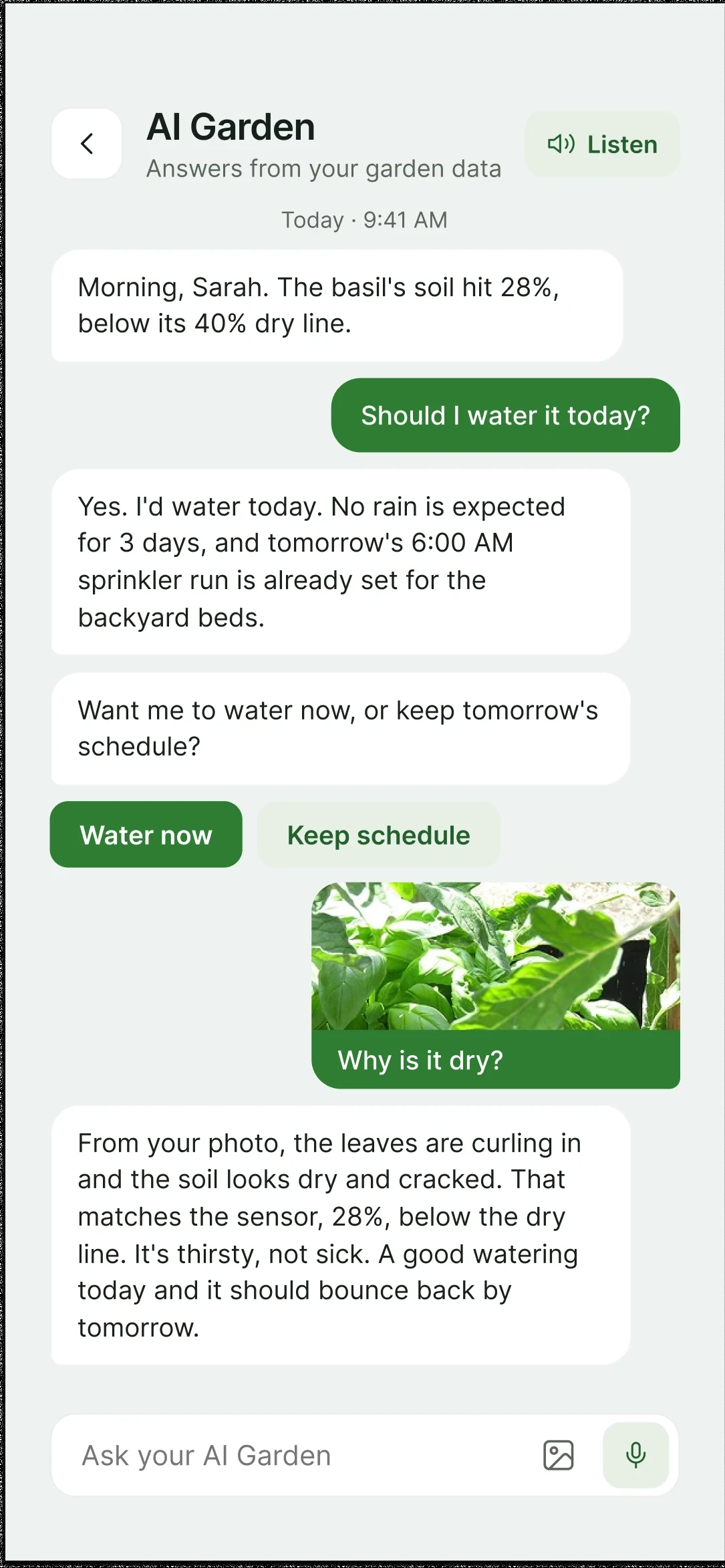
An example of the AI Garden chat screen.
The 2024 Home had an “Ask your AI Garden” pill, but no conversation or purpose behind it.
03 design A garden you talk to.
The idea is from 2024: an “Ask your AI Garden” pill on the Home screen, with nothing behind it. The chat screen itself is new in the rebuild.

The AI Garden conversation, played as a real chat.
What I learned: finishing a rough system is a different skill from starting a clean one.
Next project
Book Me